
A One-Week Crash Course in Revit: The Reality Civil BIM Professionals Can’t Afford to Miss
Under the Ministry of Land, Infrastructure and Transport’s BIM (Building Information Modeling) mandate roadmap, every public construction project worth 50 billion won or more will be required to apply BIM starting in 2026. This has fueled a growing sense of urgency among civil and infrastructure professionals, many of whom now feel they must “learn Revit as fast as possible—within a single week.” But whether a one-week crash course in Revit is a realistic goal, or a dangerous illusion that sets professionals up to fail once they’re on the job, deserves a hard, clear-eyed look.
1. Why Are Civil Engineers Rushing to Learn Revit Right Now?
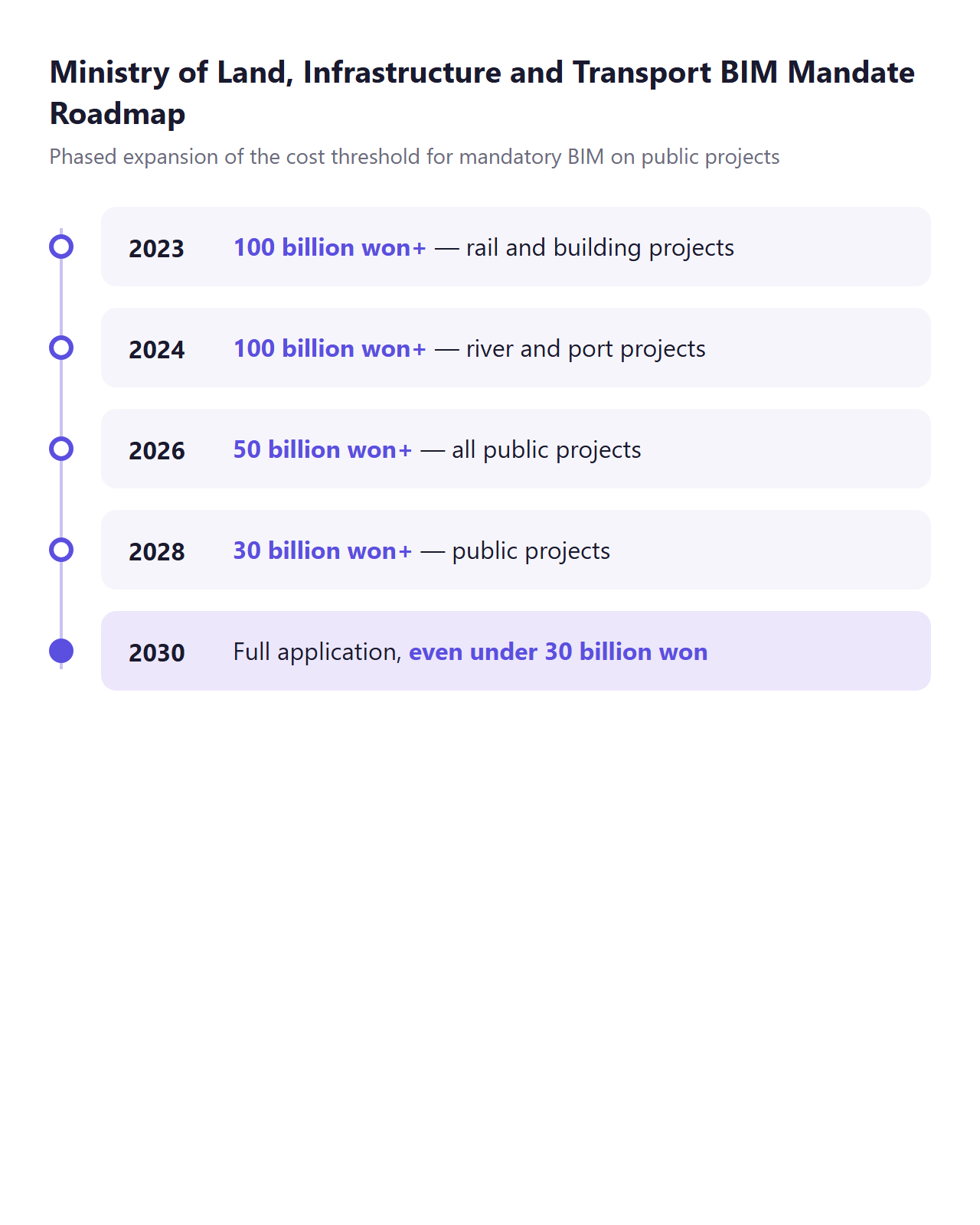
The Ministry’s BIM rollout roadmap signals a phased expansion, lowering the project-cost threshold for mandatory BIM application year by year.
- 2023: Rail and building projects worth 100 billion won or more
- 2024: River and port projects worth 100 billion won or more
- 2026: All public projects worth 50 billion won or more
- 2028: Public projects worth 30 billion won or more
- 2030: Full application, extending even to projects under 30 billion won
The ultimate goal is full BIM adoption across all public construction projects by 2030.
According to the Ministry’s roadmap, the cost threshold for mandatory BIM on publicly ordered projects will keep dropping every year, expanding to cover even projects under 30 billion won by 2030.
The Ministry currently operates two top-level common guidelines: the “Basic Guidelines for BIM in the Construction Industry” (December 2020) and the “Implementation Guidelines for BIM in the Construction Industry” (July 2022). Some sources claim these guidelines were comprehensively revised under a notice that took effect in March 2026, but the specific notice number and effective date have not been re-verified against the Ministry’s official original text, so this claim is best treated with caution—as something “reportedly” true rather than confirmed fact.
Ultimately, this trend is what’s putting pressure on civil engineering professionals to master BIM tools—Revit chief among them—in a short span of time. That background alone, however, isn’t enough to conclude that “Revit is the central tool of civil BIM.” We’ll revisit why in Section 4.
2. “Can You Really Finish Revit in a Week?” — Two Views on the Learning Curve
Even training institutions disagree on just how difficult Revit is to learn.
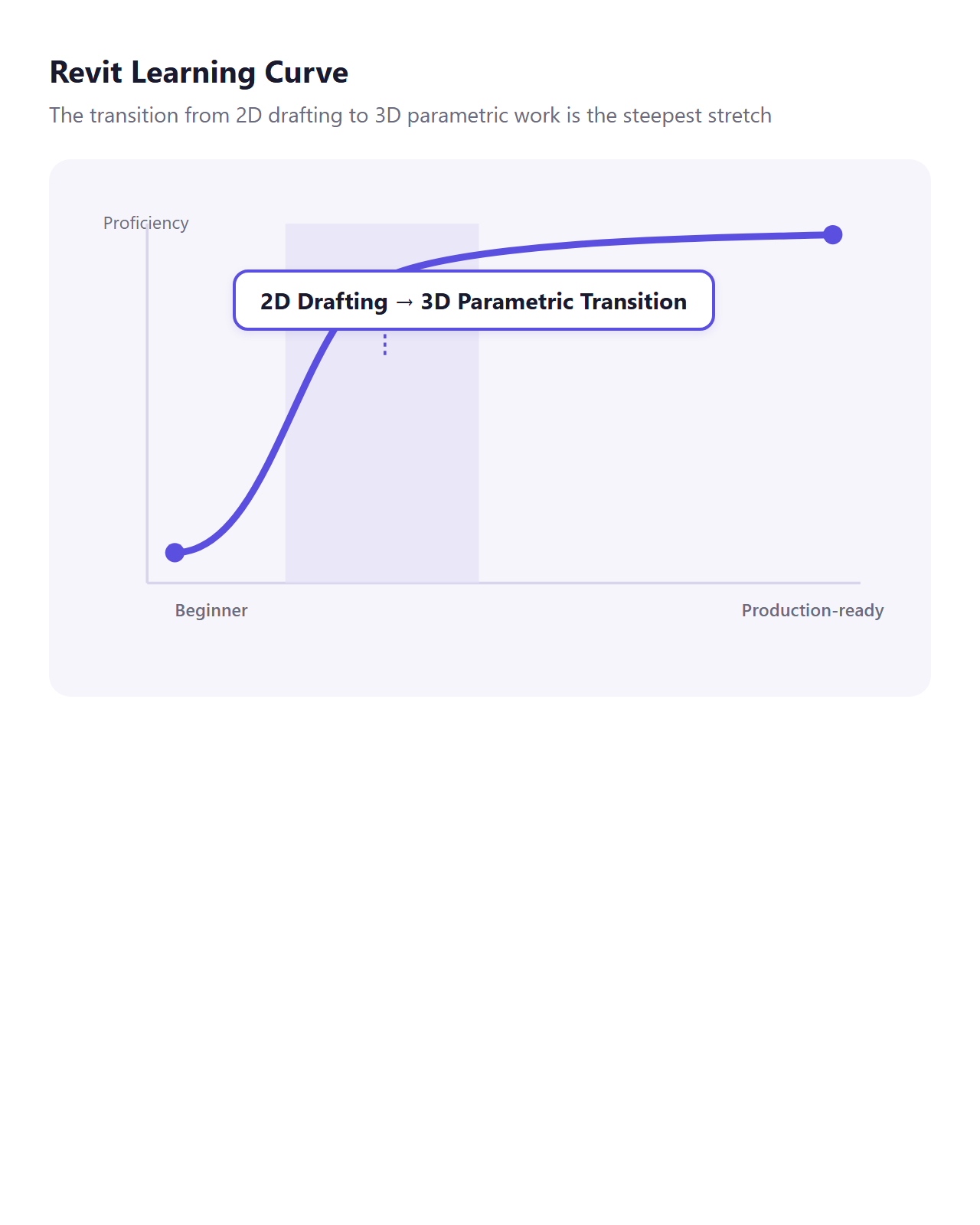
VDCI’s position (training institution): VDCI describes Revit as having a relatively steep learning curve, one that takes several months or more to progress from the basics to a level where you can handle large-scale projects. Its own guide states that the hardest part is shifting from traditional 2D drafting to 3D parametric work.
CAD Training Online and other training resources’ position: Numerous other resources counter that Revit itself isn’t the problem—starting without a structured learning plan is—and that a phased approach makes it manageable enough.
Taken together, the two views point to a fairly clear conclusion. There’s no disagreement that fully mastering Revit in a week is impossible. But the more reasonable middle-ground reading is that a structured curriculum can compress learning down to the minimum requirements for getting a project off the ground—the “survival skills,” so to speak. This also lines up with the actual duration of the commercial fast-track and bootcamp programs we’ll look at later.
3. Does AutoCAD Experience Help or Hurt When Learning Revit?
VDCI’s position: Existing AutoCAD and Civil 3D users transition to Revit relatively smoothly, according to VDCI, which explains that prior CAD or technical experience accelerates learning.
IMAGINiT’s position (an Autodesk-authorized training partner): The exact opposite. IMAGINiT points out that AutoCAD experience can actually get in the way.
“Learning Revit can actually be easier for someone with no AutoCAD knowledge at all.” — IMAGINiT
What actually reconciles these two seemingly contradictory views is that the deciding factor isn’t “what experience you have” but “how you use it.” AutoCAD experience itself is helpful, but approaching Revit while clinging to AutoCAD-style manual drafting habits becomes a fundamental obstacle that hinders learning. This ties directly into the “most common beginner mistakes” we’ll cover in Section 6.
4. Where Does Revit Actually Fit in Civil Engineering Practice?
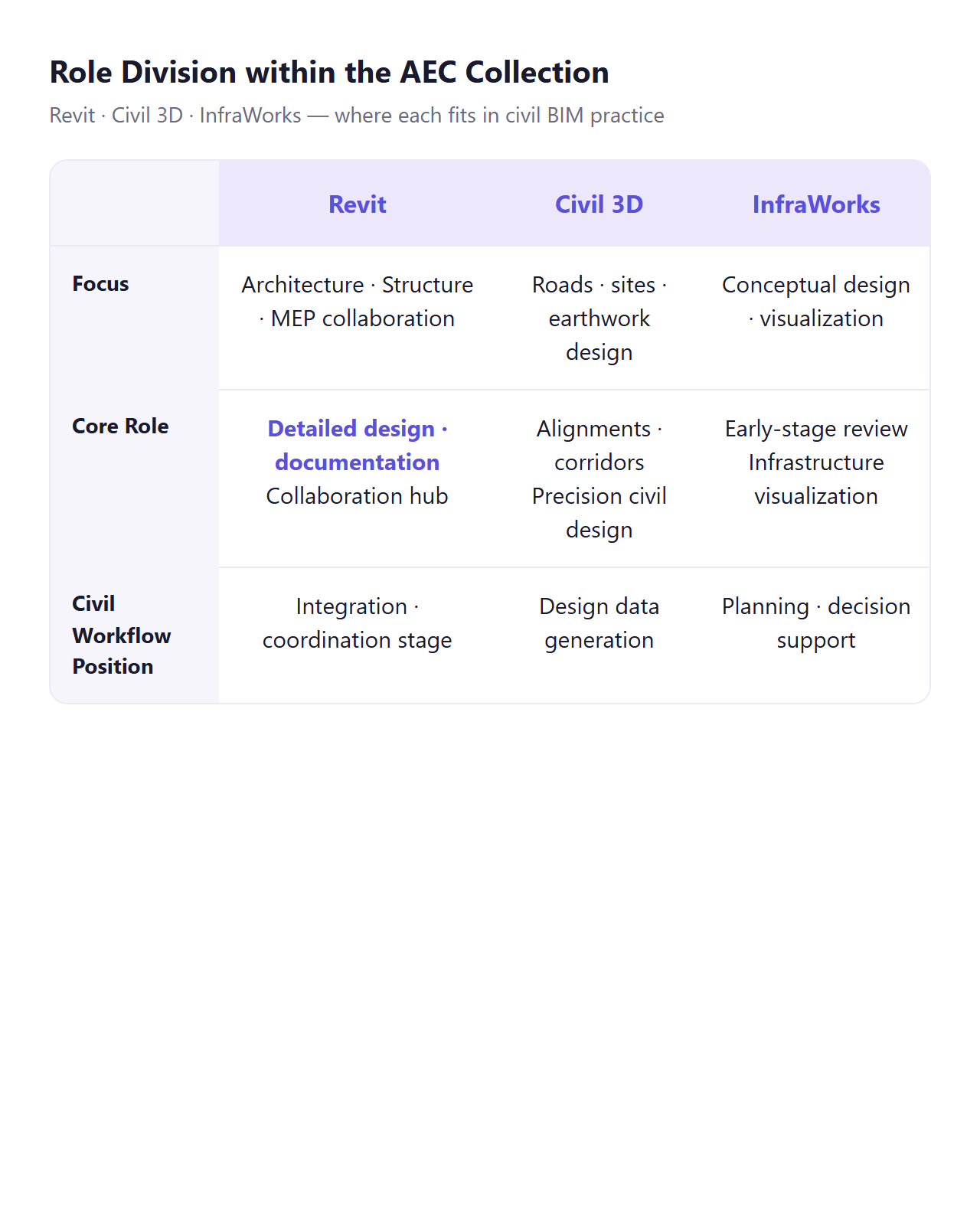
Revit was originally designed as a BIM platform centered on architecture. Autodesk’s official Revit 2026 help documentation also focuses primarily on Architecture, Structure, and MEP functionality, and its civil- and infrastructure-specific features remain limited compared to Civil 3D and InfraWorks.
Autodesk’s core product suite for civil engineering is the AEC Collection, which bundles Revit and AutoCAD together with the civil-specific design tools Civil 3D and InfraWorks. In other words, Revit isn’t meant to stand alone—it plays the role of detailed design, collaboration, and documentation within a workflow connected to Civil 3D and InfraWorks. An approach that tries to “solve all of civil engineering practice with Revit alone” runs against industry standards.
That doesn’t mean Revit is useless to civil professionals, though. According to Kaarwan, Revit offers civil practitioners the following benefits:
- Parametric modeling: Adjust one element, and everything connected to it updates automatically.
- Cloud-based real-time collaboration: Team members across disciplines can reference the same model simultaneously.
- Automated drawing, schedule, and report documentation: Model changes are reflected in drawings instantly.
- Analysis integration: Data can be exchanged with analysis software for structural loads, energy performance, and more.
In short, Revit isn’t a tool that handles civil design from start to finish on its own—it functions as a “collaboration hub” that integrates and documents the civil data produced in Civil 3D and InfraWorks within an architecture, structure, and MEP context.
5. How Revit, Civil 3D, and InfraWorks Actually Connect in Practice
The practical reason civil professionals use Revit is, in most cases, to bring civil data created in Civil 3D and InfraWorks into Revit’s architecture, structure, and MEP collaboration environment for integrated coordination.
Improvements as of Revit 2026: Civil 3D surfaces can now be linked into Revit projects more accurately, and improved terrain data consistency has reduced the need for manual correction. The Toposolid feature has also been strengthened, with a wider subdivision range; the default topo point threshold has been raised from 10,000 to 20,000, and it can be extended up to 50,000 via the revit.ini setting. For IFC file integration, the new “IFC Link Orientation” feature automates coordinate-system alignment, making it considerably easier to reconcile coordinates for models brought in from multiple software packages.
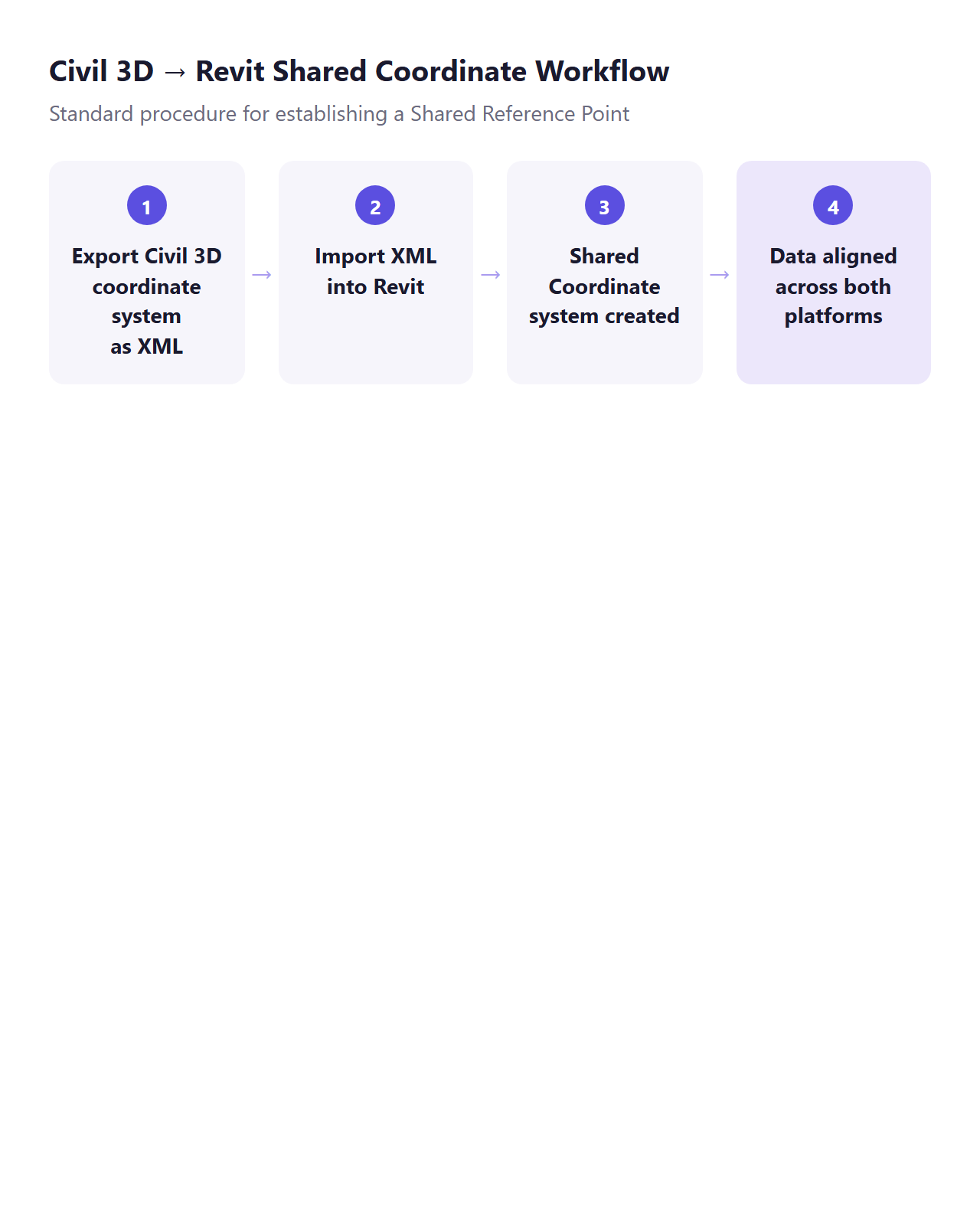
The key to coordinate-system integration: The standard approach between Civil 3D and Revit is to establish a Shared Reference Point and exchange data based on real-world coordinates. Exporting Civil 3D’s coordinate system as an XML file and importing it into Revit creates a shared coordinate system, after which moving data between the two platforms becomes far smoother.
Civil 3D ↔ InfraWorks integration: InfraWorks models can be opened directly in Civil 3D as SQLITE files, or exported and imported as IMX files. Eagle Point Software recommends using relative paths and overlay-type external references (Xrefs), and specifically stresses avoiding round-trip work that moves data between platforms and then back to the original. It’s also common practice to import pipe networks, pressure networks, and corridor solids directly from Civil 3D into Navisworks for clash detection.
Numerous official case studies of this workflow can also be found at Autodesk University, Autodesk’s official conference. A representative example is the session “Automate Modeling Workflows for Infrastructure,” which starts from a Civil 3D alignment and connects it to Revit to automate bridge and rail design modeling.
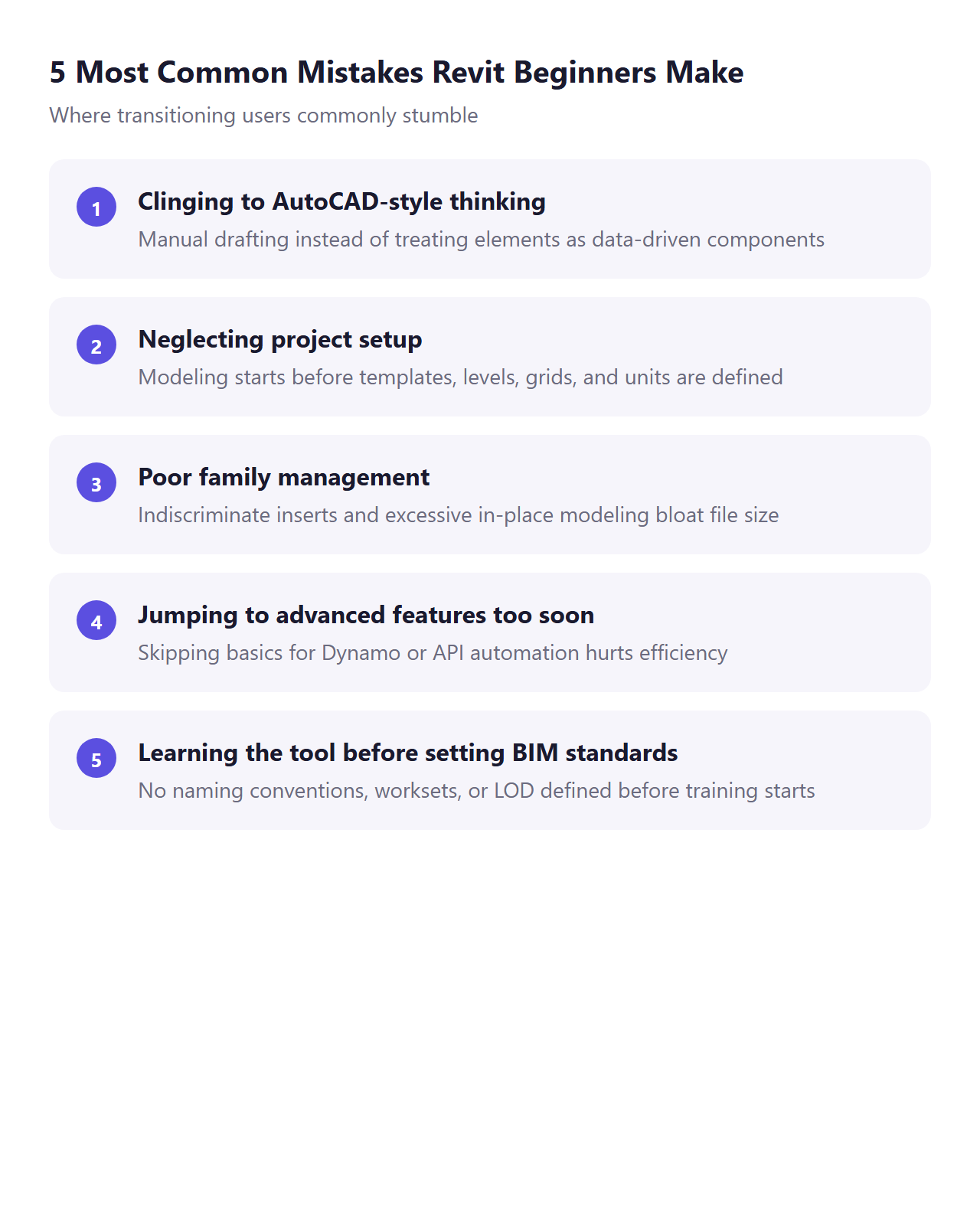
6. The 5 Most Common Mistakes Revit Beginners Make
The mistakes that transitioning users, civil professionals included, commonly make can be summarized as follows.
- Clinging to AutoCAD-style thinking: Treating Revit like AutoCAD and manually drafting is cited as the single most common mistake. Because Revit is a data-driven 3D collaborative modeling platform rather than a drafting tool, it’s essential from day one to shift your mindset to “an element is a component that carries data.”
- Neglecting project setup: Starting to model right away without setting up templates, levels, grids, and units leads to element alignment errors, dimension errors, and coordinate mismatches during collaboration.
- Poor family management: Indiscriminately inserting incompatible families or modeling too many custom elements “in-place” leads to parameter errors and file sizes ballooning out of control. IMAGINiT points out that “if a needed family doesn’t exist, you have to build it yourself, and organizations adopting Revit for the first time often underestimate how much work that family creation actually takes.”
- Jumping to advanced features too soon: Multiple sources consistently note that skipping the basics to dive straight into advanced features like Dynamo or API automation actually reduces learning efficiency.
- Learning the tool before setting BIM standards: IMAGINiT stresses that “the teams most successful at adopting Revit are the ones that invested in establishing BIM standards—naming conventions, worksets structure, LOD definitions, a BIM execution plan—before investing in Revit training.” In other words, even if an individual crams Revit into a single week, skipping a check of their organization’s BIM standards first will come back to bite them once they’re actually deployed on a project.
7. So Here’s How a One-Week Revit Curriculum for Civil Professionals Should Be Built
A “one-week crash course” isn’t an unrealistic concept. Actual commercial bootcamps run intensive programs lasting anywhere from 5 to 9 days at minimum. Ledet Training‘s “Revit 501 Bootcamp” runs for 5 days and is hands-on, covering everything from the user interface to the commands needed for construction documentation. revitbootcamp.com runs a 9-day program, moving from Day 0 (installation, templates, unit setup) through Day 1 (the category → family → type → instance hierarchy, levels and grids, your first wall) and Day 2 (exterior modeling—floors, roofs, stairs, sites), then deepening from Day 3 onward into views, documentation, collaboration, and automation. VDCI‘s Fast-Track Program is structured as 60 total hours spread across 6 weeks.
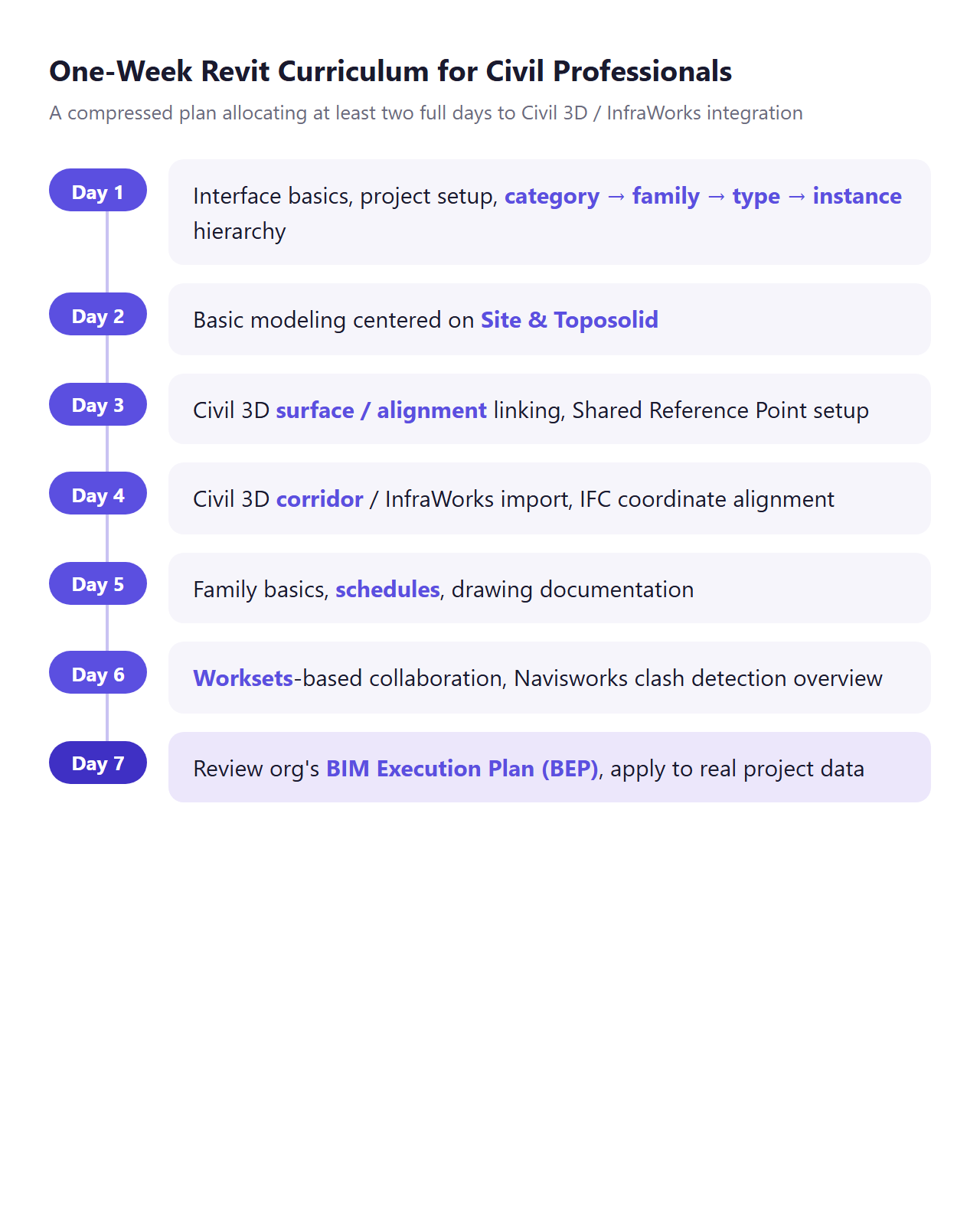
That said, all of these programs are built around architectural Revit, so a curriculum tailored to civil engineering needs to be designed separately. Synthesizing the findings from this research, a realistic one-week compressed learning plan for civil professionals can be structured as follows.
- Day 1: Get familiar with the interface, set up the project (templates, levels, grids, units), and understand the category → family → type → instance hierarchy
- Day 2: Basic modeling centered on Site and Toposolid, keeping architectural elements to a bare minimum
- Day 3: Practice linking Civil 3D surfaces and alignments, and setting up a Shared Reference Point
- Day 4: Import Civil 3D corridors and InfraWorks models, and reconcile coordinates using IFC Link Orientation
- Day 5: Basic family concepts, building schedules, and drawing documentation
- Day 6: Worksets-based collaboration, and an overview of clash detection via Navisworks integration
- Day 7: Review your organization’s BIM Execution Plan (BEP) and standards, then practice applying everything to real project data
This structure is proposed by synthesizing the bootcamp cases and research findings covered above, and its decisive difference from architecture-centered bootcamps is that it allocates at least two full days to the Civil 3D and InfraWorks integration work that civil and infrastructure professionals absolutely need.
Closing Thoughts
As we’ve seen, a one-week crash course in Revit is a concept that sits nowhere near “full mastery.” The learning curve itself is steep, Revit was never built as a civil-specific tool to begin with, and without a workflow connected to Civil 3D and InfraWorks, it struggles to pull its weight in civil engineering practice. What should take priority over speed is a structured learning sequence and an understanding of your organization’s BIM standards. It’s understandable to feel rushed as the BIM mandate roadmap accelerates, but confidently declaring yourself ready for deployment after just one week—while skipping foundational setup and collaboration standards—carries a serious risk of leading to far bigger trial and error down the road. Even when attempting compressed learning, it’s a point that now demands serious recognition: Civil 3D and InfraWorks integration training and a review of your organization’s BIM execution plan must go hand in hand.